
Job tracking from sold to complete
Work orders, crew handoffs and job stages tracked from sold job to completion.
Closed work flows in from Sales Pipeline automatically, then moves through your delivery stages. The customer record follows the job, so recurring and repeat customers arrive with their whole history attached — previous scope of work, what was quoted last time, and every communication across the life of that customer.
How it works
01/04
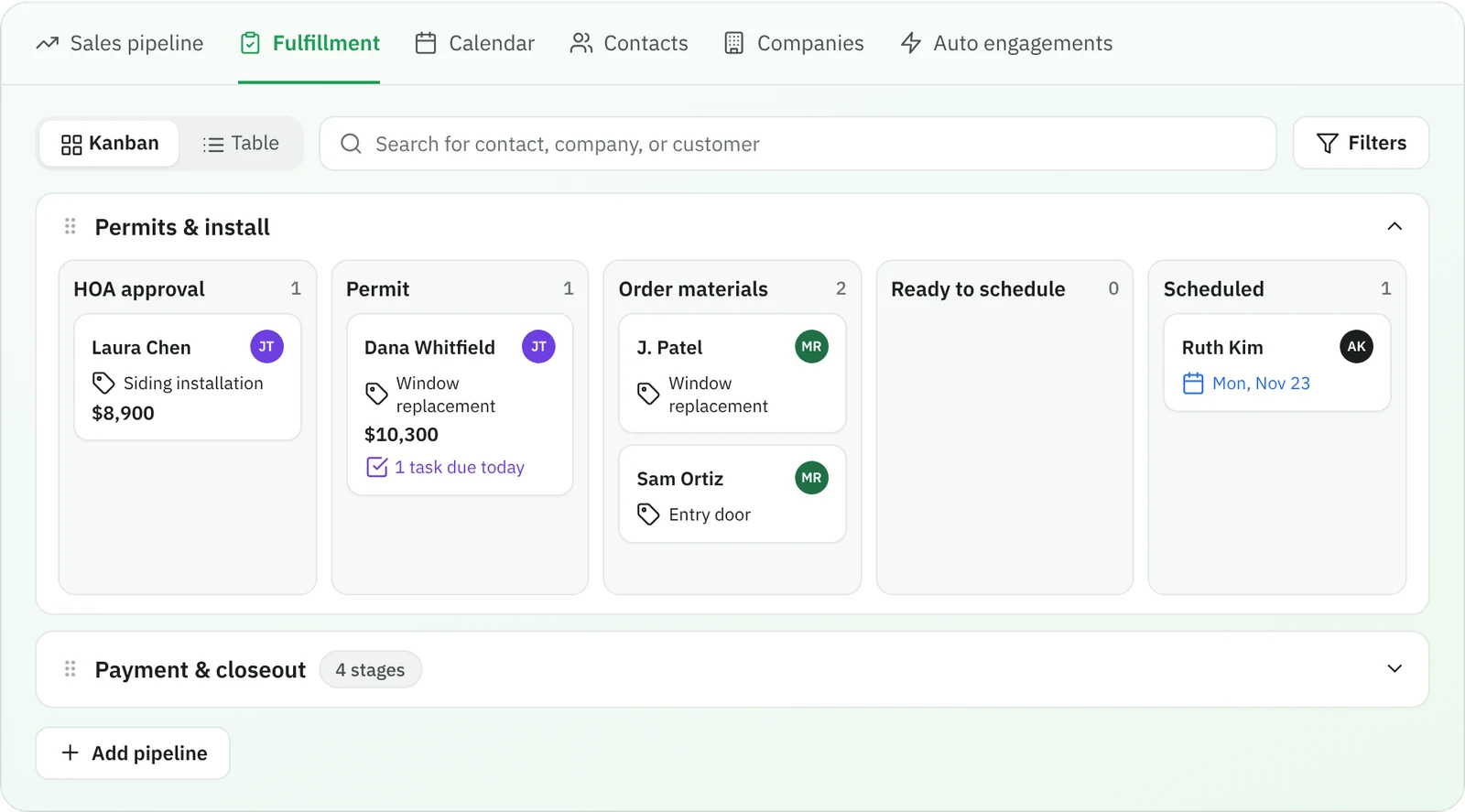
Your stages
Permits, materials and install, your way
Build the steps your jobs actually go through, from HOA approval to scheduled.
02/04
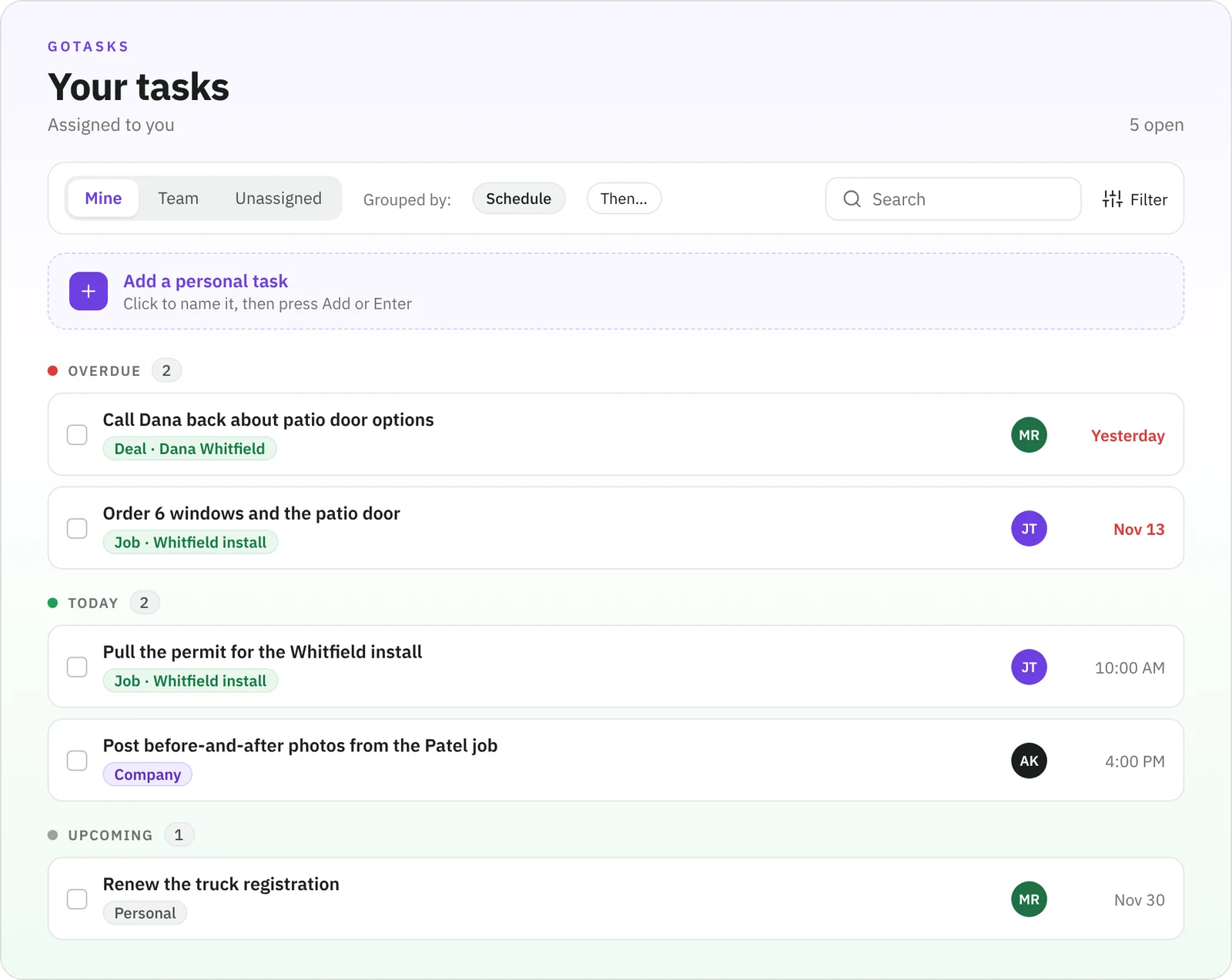
The crew works from it
Tasks tied to the job
Each job shows what's due, so nothing waits on someone remembering.
03/04
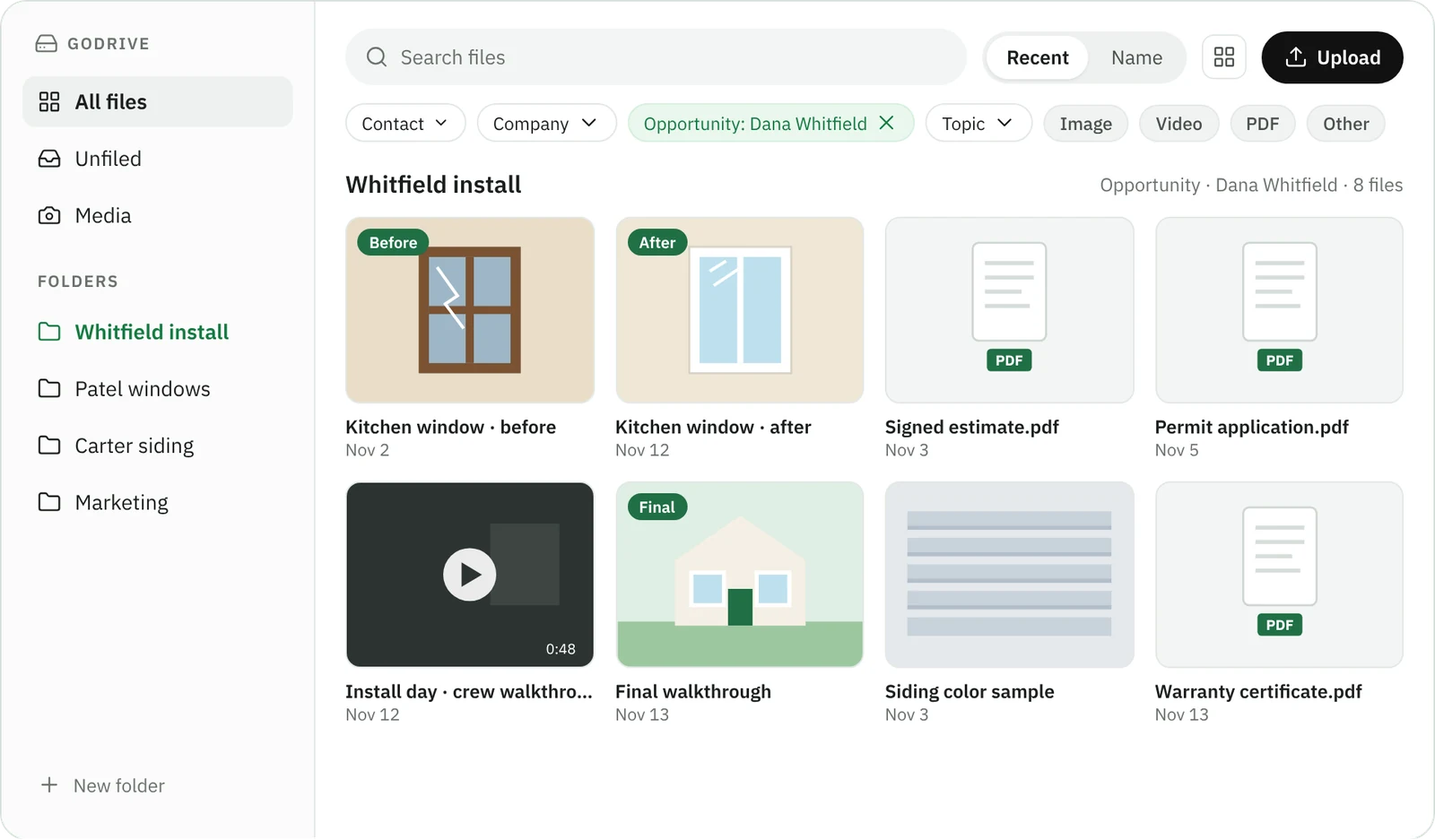
History kept
Photos and documents stay with the job
Before-and-after photos, the signed estimate and the permit live in the job's folder.
04/04
As many as you need
Add a pipeline for every kind of work
Run separate pipelines for installs, repairs or payment and closeout.
What our job tracking does
Everything Fulfillment Pipeline handles — built in, not bolted on.
- Multi-pipeline management
- Stage tracking for fulfillment
- Metrics tracking
- Text, call and email the customer from the job
- Project status management
- Closed deals hand off from Sales Pipeline automatically
- Contact & company records
- Team chat about the job
What changes with job tracking
What life looks like before and after.
- Before
Another login, another export, another guess.
AfterTrack work after the sale is closed
- Before
Manual work that should happen automatically.
AfterEnsure service delivery completion
- Before
Scattered across tools that don't share a record.
AfterManage ongoing customer projects
- Before
Easy to drop when the day gets busy.
AfterRepeat customers arrive with full history attached
What happens to a job after it's sold?
When a deal is won in the Sales Pipeline, it hands off to the Fulfillment Pipeline automatically. The job then moves through your delivery stages — work orders, crew handoffs and completion — with project status and metrics tracked along the way, and integrated chat keeps customer communication on the job. Because the customer record follows the work, repeat customers arrive with their whole history: previous scope of work, what was quoted last time and every conversation. You can run multiple pipelines for different kinds of work, and nothing is re-entered between the sale and the job.
When contractors use job tracking
How operators put this to work.
- CRM
Service business tracking job completion
Work orders, crew handoffs and job stages tracked from sold job to completion.
- CRM
Project-based business managing workflow
Work orders, crew handoffs and job stages tracked from sold job to completion.
- CRM
Recurring maintenance customer returning next season
Work orders, crew handoffs and job stages tracked from sold job to completion.
More in CRM
Explore what else ships in this category.
Sales Pipeline
Quotes, jobs and customers on one board, so nothing stalls between the call and the sale.
Appointment Scheduling
Estimates and installs booked onto your calendar, with reminders before the truck rolls.
Automated Follow-Up
Texts and emails that keep chasing the quote after you've moved on to the next job.
Track the work after the sale, on the same customer record that closed it.