
Appointment scheduling for estimates and installs
Estimates and installs booked onto your calendar, with reminders before the truck rolls.
Full-featured calendar system for scheduling appointments with contacts, companies, and opportunities.
How it works
01/05
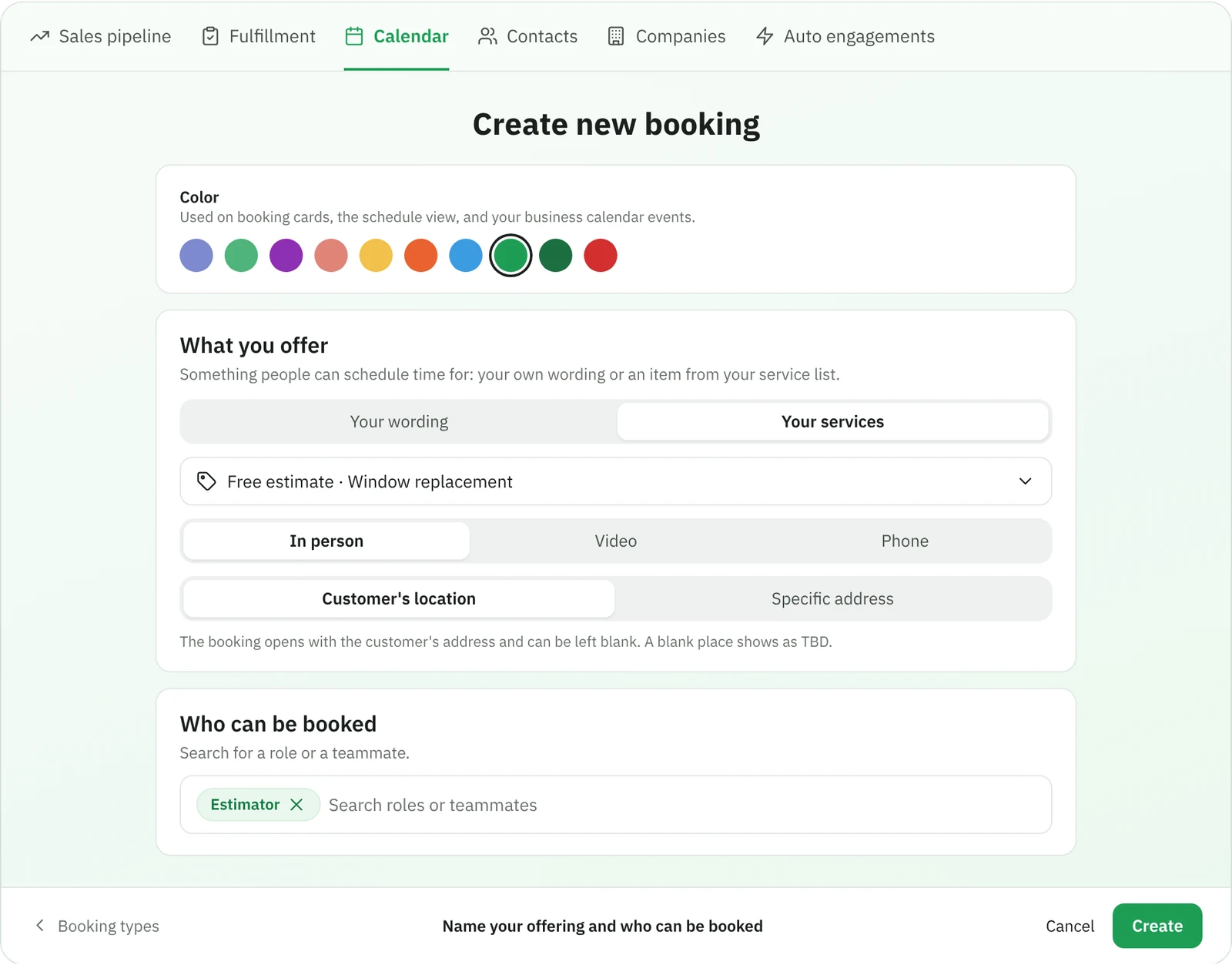
Create a booking type
Decide what customers can book
Name the offering, like a free estimate, choose in person, video or phone, and set where it happens.
02/05
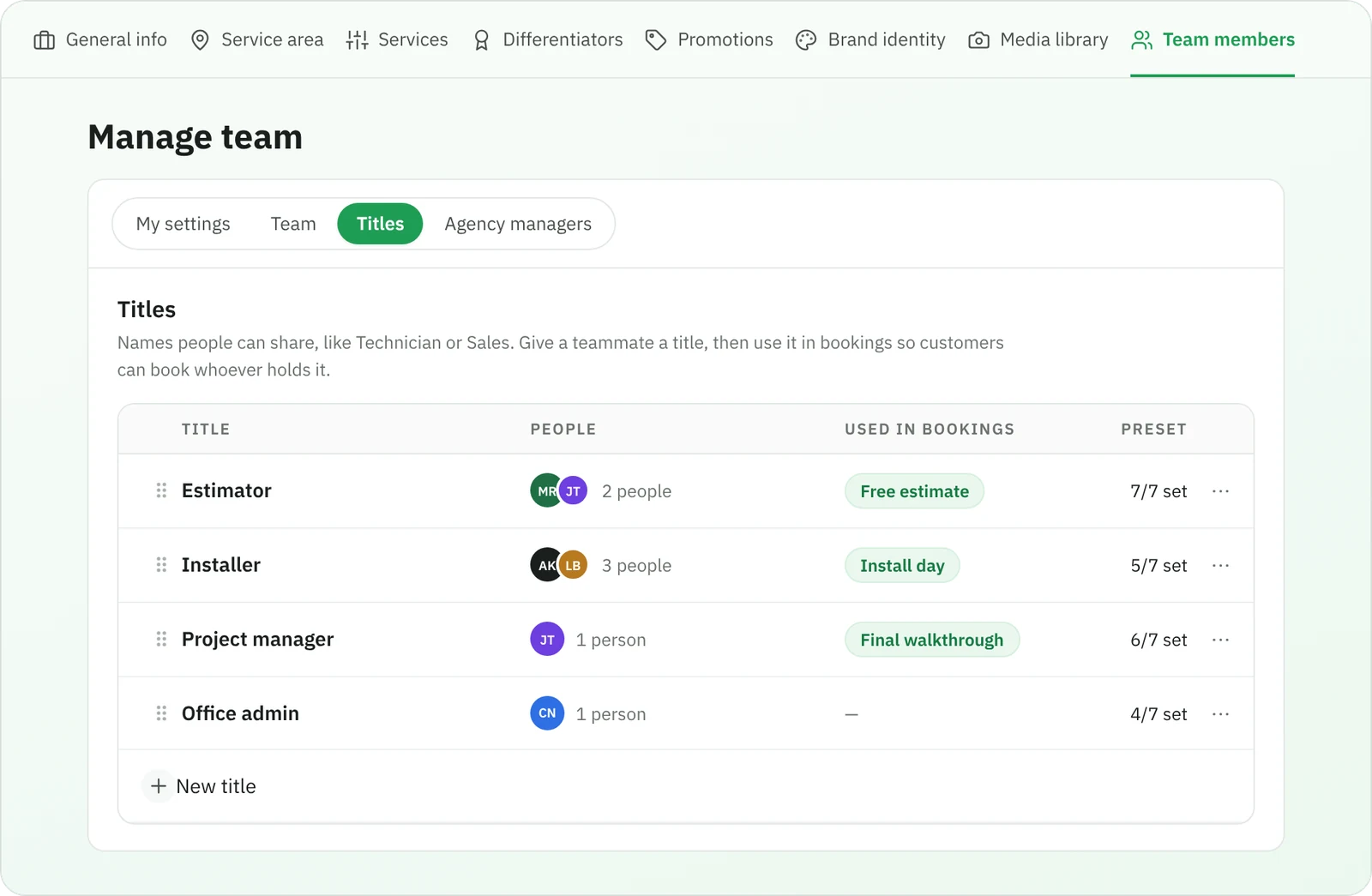
Who can be booked
Book by title, like Estimator or Installer
Give teammates a title, then let customers book whoever holds it.
03/05
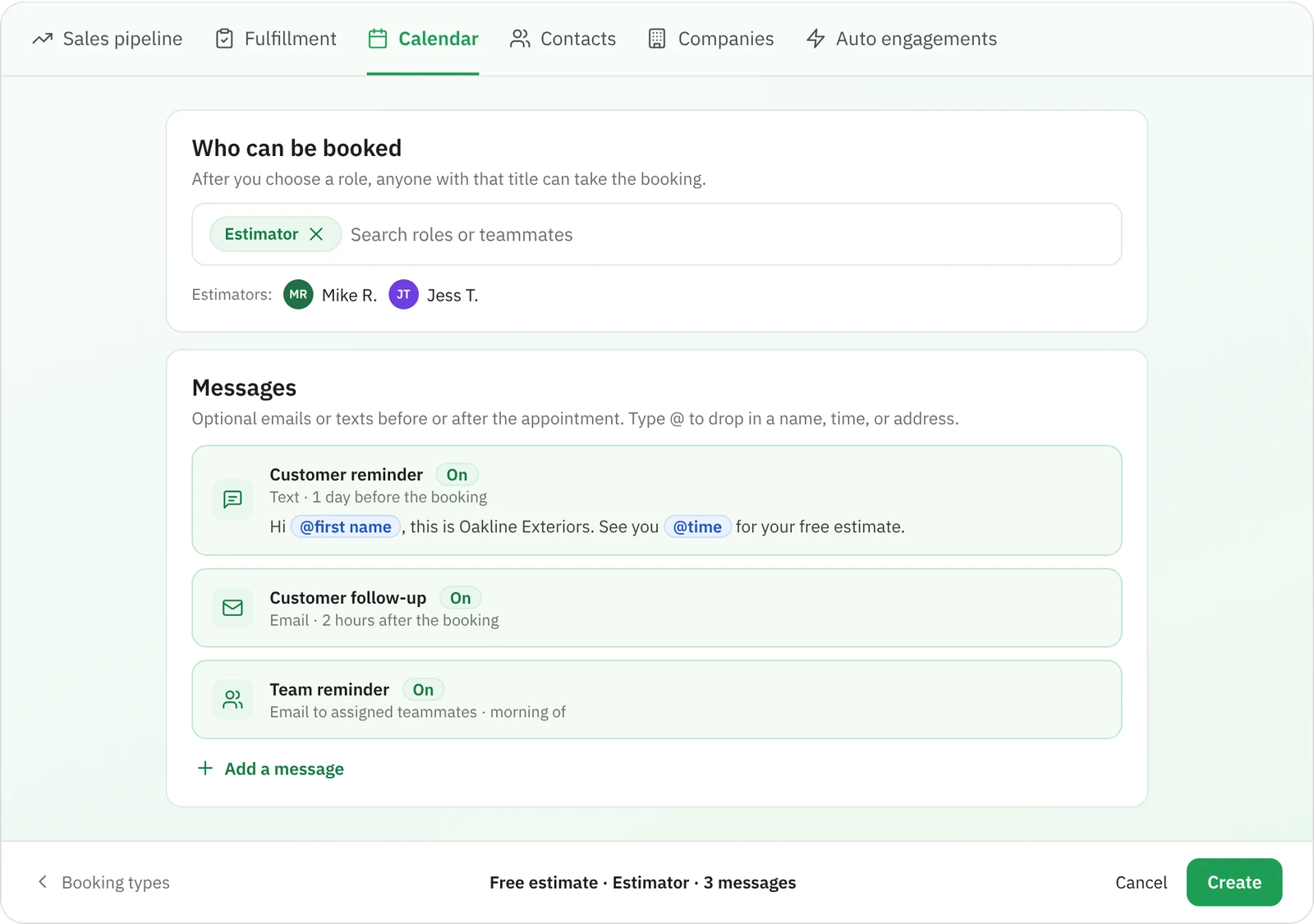
Reminders send themselves
Reminders and follow-ups for customers and crew
Add a text reminder before the visit, a follow-up after, and a reminder for the assigned teammate.
04/05
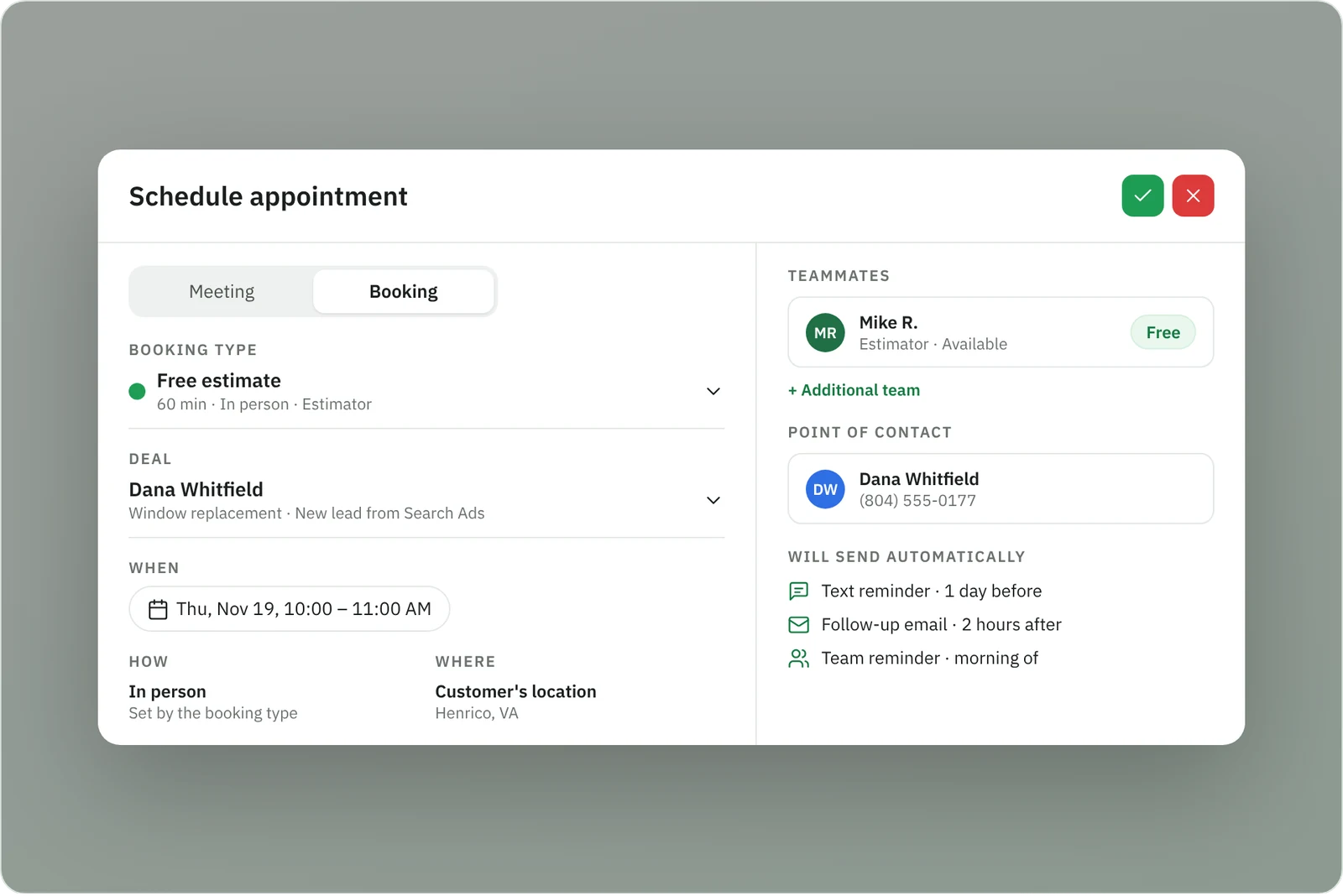
Book it
Book a free estimate in a few clicks
Pick the booking type and the deal, and the teammate, time, place and reminders fill in.
05/05
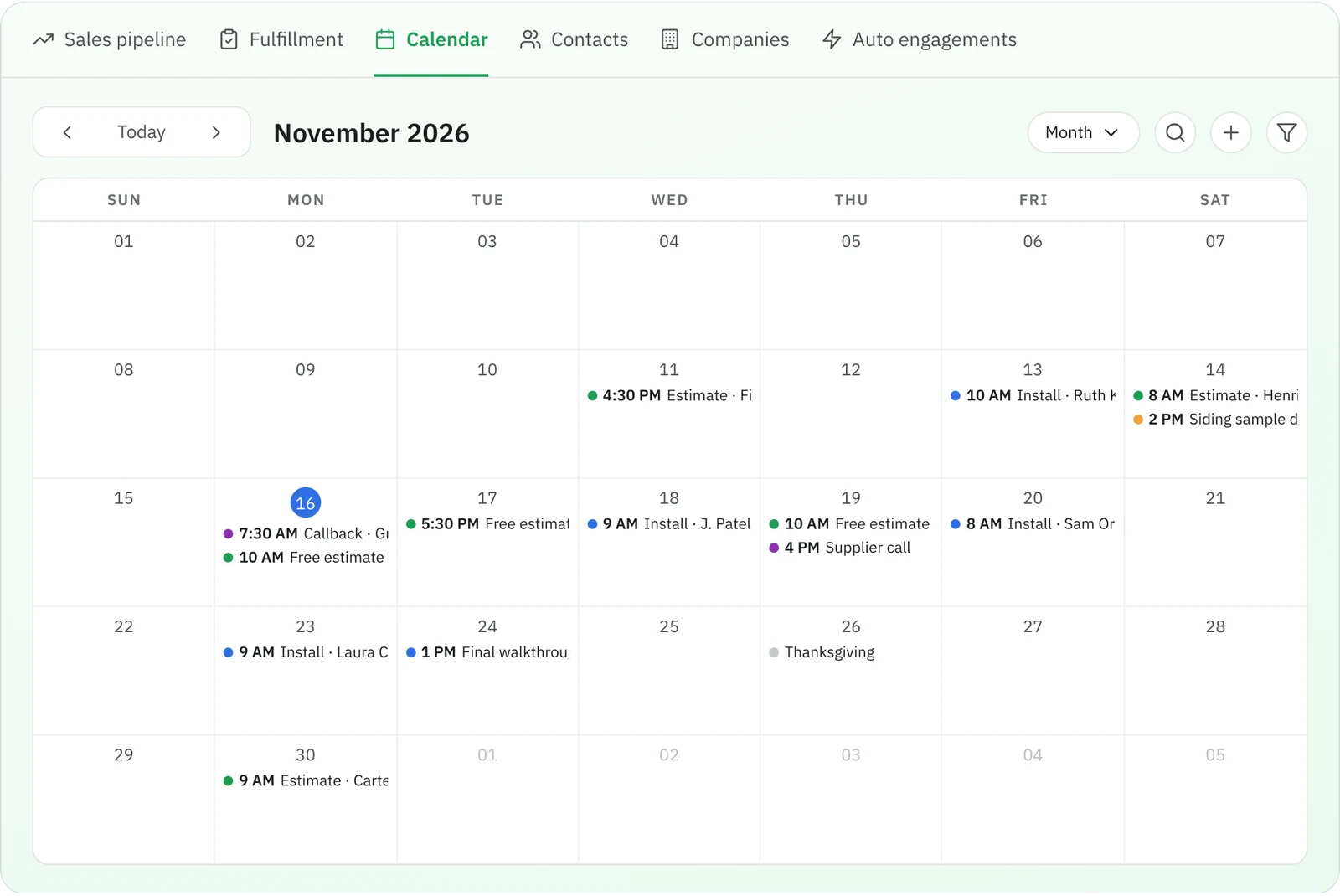
See the month
The whole team on one calendar
Estimates, installs and callbacks for every teammate, color coded by booking type.
What our appointment scheduling does
Everything Appointment Scheduling handles — built in, not bolted on.
- Calendar interface with multiple views
- Drag-and-drop rescheduling
- Appointment creation with participants
- Location selection (in-person, video, phone)
- Outcome tracking
- Notes and comments
- Google Calendar and Microsoft Outlook calendar sync
What changes with appointment scheduling
What life looks like before and after.
- Before
Another login, another export, another guess.
AfterSchedule appointments without leaving the platform
- Before
Manual work that should happen automatically.
AfterTrack appointment outcomes
- Before
Scattered across tools that don't share a record.
AfterManage team calendars
- Before
Easy to drop when the day gets busy.
AfterAvoid double-booking
Does appointment scheduling sync with my calendar?
Yes. Appointments sync with Google Calendar and Microsoft Outlook. Gozango's built-in calendar offers multiple views, drag-and-drop rescheduling, and in-person, video or phone visits. Each appointment attaches to the contact, company and opportunity it belongs to, so the estimate or install sits on the same record as the sale. You can manage team calendars, avoid double-booking, track the outcome of every visit and send reminder texts before the truck rolls. Scheduling is part of the CRM included on every plan.
When contractors use appointment scheduling
How operators put this to work.
- CRM
Service business scheduling consultations
Estimates and installs booked onto your calendar, with reminders before the truck rolls.
- CRM
Sales team booking demos and meetings
Estimates and installs booked onto your calendar, with reminders before the truck rolls.
More in CRM
Explore what else ships in this category.
Sales Pipeline
Quotes, jobs and customers on one board, so nothing stalls between the call and the sale.
Automated Follow-Up
Texts and emails that keep chasing the quote after you've moved on to the next job.
Fulfillment Pipeline
Work orders, crew handoffs and job stages tracked from sold job to completion.
Schedule appointments, track outcomes, and sync with your calendar. Never miss a meeting again.